| ||||
|
| ||||
|


After downloading the core installer from E-Junkie, you can start it (run as Administrator).
You can enter a different folder to install the program. It's best to leave all options default and proceed with the installation.
During the installation, the VC++ runtime libraries are automatically installed. You can choose not to install the 64-bit VC++ if you have a 32-bit Windows version.
Select components
The core program installer contains a number of "basic" protocols, the UDP tracker and the EWMA-filter. You can choose to deselect some of them.
After this, move to installing the PluginPack.

After downloading the PluginPack installer from the download page, you can start it (run as Administrator).
The installer will check for the presence of the core program and will install the components to the same folder.
The installer will ask you to comply to the OSC-license agreement, which applies to some of the components.
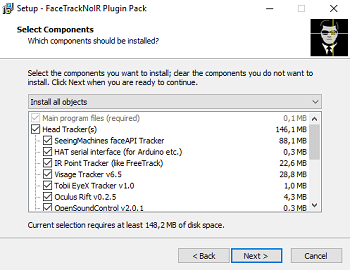
Select components
The PluginPack installer contains a number of protocols, trackers and the Accela-filter. If you know which tracker you want to use and which protocol your game needs, you can choose to deselect the others. You can always install them later, by running the installer again.
After this, you can start using FaceTrackNoIR.
|
|

